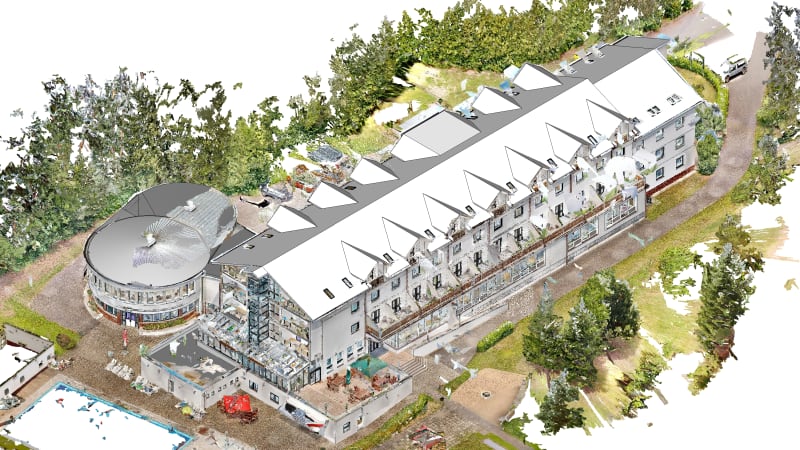
Scan to BIM deliverables vary enormously in detail and accuracy, and the price varies with them. Two models built from the same point cloud can be very different products, and commissioning the wrong one wastes money or leaves you with a model you cannot rely on. The levers that decide what you get are level of detail, level of accuracy and tolerance, and understanding them is essential before you commission a scan.
This article explains each lever, how they interact, and how to specify a Scan to BIM deliverable so expectations are clear and disputes are avoided.
LOD and accuracy are not the same thing
These two are constantly confused. Level of Detail (LOD) describes how much is modeled, how many elements and how richly. Level of Accuracy (LOA) describes how closely the model matches the real, scanned geometry. They are independent: a project can need high accuracy at modest detail (a simple model that is precisely positioned) or rich detail at modest accuracy (a fully featured model where exact position matters less). Specifying one without the other leaves the deliverable ambiguous.
Tolerance: the number that defines the model
Tolerance is the practical expression of accuracy, how far the model is allowed to deviate from the point cloud. A tight tolerance means the model hugs reality closely and costs more to produce and verify; a looser tolerance is faster and cheaper but less precise. The right tolerance is the one the downstream use actually requires, not the tightest one available. Modeling a warehouse to a few-millimetre tolerance when the design only needs centimetre accuracy is paying for precision nobody uses.
Defining the deliverable clearly
Ambiguity here is the main cause of Scan to BIM disputes, so a good specification pins down:
- Target LOD per element type, structure, architecture, MEP
- Required level of accuracy or tolerance band
- Exactly which elements are in scope and which are excluded
- Deliverable format and software version
- Whether verification against the cloud is included
A worked example: two clients, one building
Two clients scan the same factory. One is planning a new mezzanine and needs the existing structure modeled to a tight tolerance so the new steel connects precisely, high accuracy, modest detail. The other is producing a facilities model and needs every pipe, valve and panel captured, but exact position matters less, high detail, looser accuracy. Same point cloud, two completely different, correctly specified deliverables.
Had either client simply asked for "a Scan to BIM model", they would likely have received the wrong one, over-specified and overpriced, or under-specified and unusable. The specification, not the scan, defined the value.
Right-sizing the model
The skill in Scan to BIM is matching detail and accuracy to the decision the model supports. Enough to be reliable for its purpose, without paying for precision that will never be used. Leading providers help clients right-size the deliverable, asking what the model is for before quoting how detailed and accurate it should be, which is the surest sign of a partner who understands the process.
Conclusion
Scan to BIM accuracy is not a single setting but a set of choices, LOD, accuracy, tolerance and scope, that together define the deliverable and its cost. Specify them deliberately, matched to how the model will actually be used, and you get a model that is reliable, affordable and fit for purpose. Leave them vague, and you are gambling on what you receive.
Need Scan to BIM you can build from?
The Zenith Visions delivers accurate, coordinated Scan to BIM for AEC teams worldwide. Tell us about your project and we’ll respond within one business day.
Explore Scan to BIM